
Lost Receipts
Physical receipts get damaged or misplaced, delaying claims.
Manage expense claims, receipts, approvals, and payment status in one place. Give your team a clearer view of each request, without switching between chats, emails, and spreadsheets.


Manual reimbursement slows down your team and makes every claim harder to track.
Physical receipts get damaged or misplaced, delaying claims.
Constantly chasing managers for approvals across different channels.
Bottlenecks in the manual chain mean employees wait weeks to get paid.
Data entry errors and version control issues make claims harder to reconcile.
Employees have to ask the assigned team for payment status updates.
Scrambling to find supporting documents when it's time to close the books.

reimburse.id is here to replace all that hassle. We provide a lightweight digital solution built for different business needs, ready to use without technical training. Perfect for HR, finance teams, and employees who want fast, clear, and hassle-free reimbursement claims.
Keep requests, approvals, and expense records organized, so everyone knows what to do next.
Request reimbursement for expenses or an advance before an activity. Track each request through to completion.
Send each request to the right people for approval. Assign a delegate when an approver is away.
Enable daily email reminders for pending work, with timing and recipients set by your company.
Choose the information and supporting files employees need to provide for each type of request.
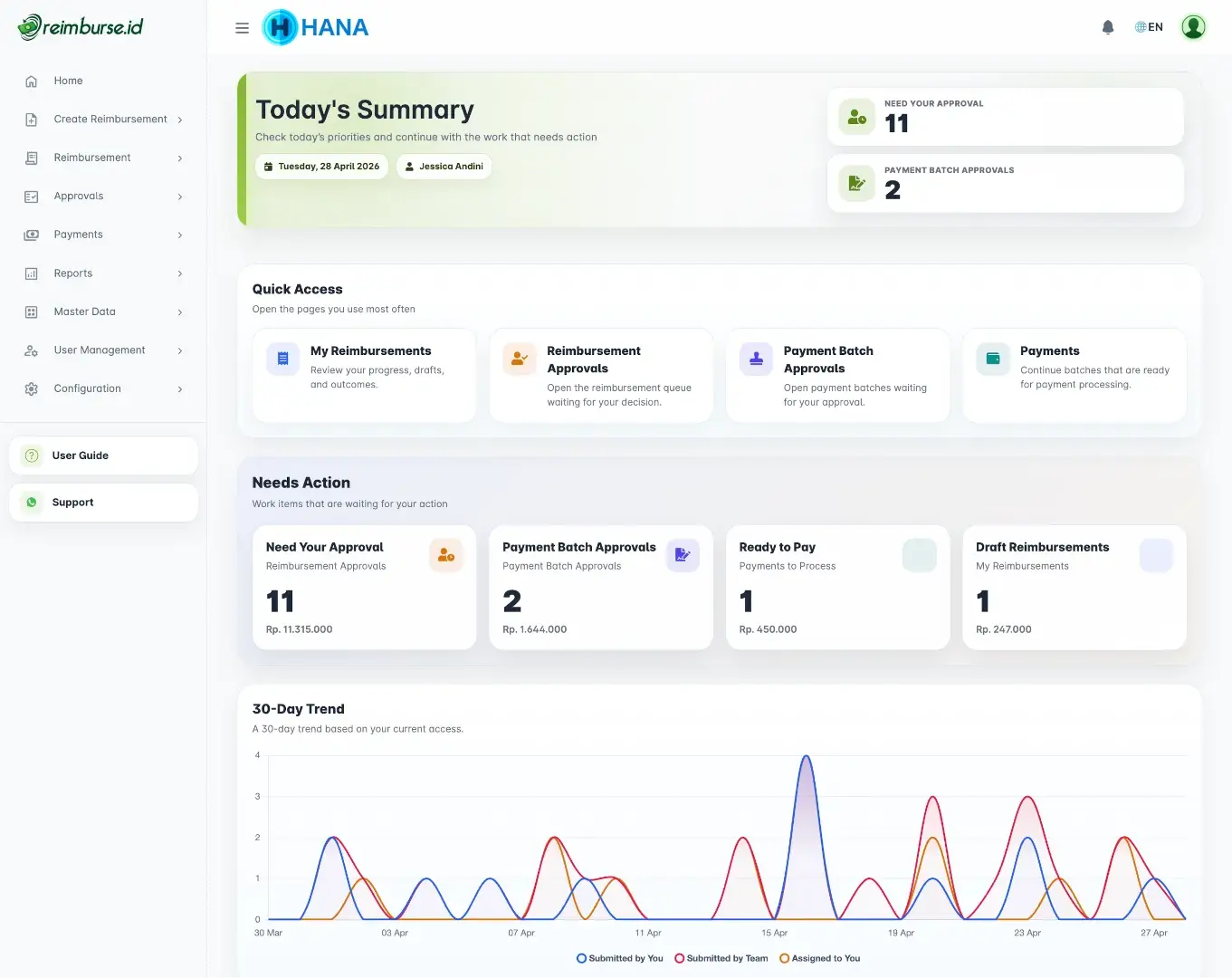
Follow each claim from review and approval to its payment status, without chasing updates in chats or email.
See where company money goes by expense category. Compare the last 30 days with the previous period to spot changes in spending.
Download expense reports and customize export and print layouts for your company's records, reviews, and audits.
Review recorded changes and approvals to understand how a document was handled.
Give each person access for their work, whether submitting expenses, approving requests, or processing claims.
Submit expense claims or cash advance requests, upload receipts, and report how an advance was used. Follow the status from web or mobile.
Review reimbursement requests, cash advance requests, and expense reports. See which items need your approval.
Handle approved claims, prepare payment batches, and record cash advance disbursements. Verify returned funds or record additional payments when needed.
Set up users, positions, forms, approval rules, and access. Enable cash advances and email reminders to fit your company's process.
Review supporting files, recorded changes, and payment records. Read and export the reports your access allows.
Reimbursement pays you back for expenses you have already covered. A cash advance provides funds before an activity, then you report how the money was used.
Enter your expenses and upload receipts or supporting files from web or mobile.
Your claim goes to the people responsible for reviewing it, following your company's approval rules.
The assigned team handles the approved claim, makes the payment, and records its status in Reimburse.id.
Keep claim history, receipts, and payment records together for reporting and review.
Describe the activity, estimate the expenses, and submit your cash advance request.
The assigned approvers review the request before funds can be disbursed.
The assigned team disburses the approved funds and records the payment with supporting proof.
Add actual expenses and receipts, then submit your expense report for approval.
Return unused funds or receive an approved additional payment if expenses were higher. The team verifies and records the amounts to complete the advance.
All plans include unlimited users and unlimited reimbursement claims. Plan differences are based on storage capacity.
Need more space? Add extra storage in 100GB blocks whenever you need more room for receipts and supporting files.
Reimburse.id helps companies manage employee reimbursements and cash advances, from requests and approvals to payment records, expense reports, and reminders.
Reimburse.id is built for employees, approvers, HR, finance, business owners, and auditors. Each role gets the access and workflow they need.
Yes, the first 6 months are completely free. After the trial period, you can continue with the plan that fits your storage needs.
No credit card is required to start your free 6-month trial. You only pay when your trial ends if you choose to continue.
No. All plans include unlimited users, unlimited reimbursement claims, and unlimited transactions. The only plan-based limit is storage capacity.
Yes. Your admin can choose the company's currency and decimal precision. Cash advances use the company's currency, which is saved when the request is submitted. Reimburse.id does not automatically convert exchange rates.
Reimburse.id is available in English and Bahasa Indonesia on web and mobile. You can also download the app from the App Store or Google Play.
Yes. Users with the right access can export reimbursement and cash advance reports. Admins can also customize report exports and print layouts to fit company needs.
Yes. Recorded actions and changes help you follow a document's history. Access to transaction history, configuration changes, and login history follows each user's permissions.
With reimbursement, an employee pays first and asks the company to pay them back. With a cash advance, the company provides funds first, and the employee later reports the actual expenses with receipts.
Your admin enables the Cash Advance module and new requests in company settings, then sets up forms, access, and approvals. Employees with the right access can then submit requests.
The employee records actual expenses, attaches receipts, and submits the expense report for approval. Any unused funds are returned and verified. If approved expenses exceed the advance, the assigned team records an additional payment. The advance is completed once the difference is resolved.
Yes. Your admin can enable daily email reminders for pending reimbursements, payment batches, and cash advances. Rules follow the company's working hours and calendar, and reminders go to eligible recipients with email notifications enabled.
Yes. Admins can set approval rules and test saved rules with sample information before using them. Approval delegation and reassignment are also available according to the company's settings and access permissions.
We are committed to maintaining the security of your Personal Information. We continuously improve our information security management systems by reviewing related policies to comply with applicable legal requirements, meet stakeholder expectations, and ensure continuous quality improvement. We prioritize corporate information and data security regulations, including information regarding our users. Please see our Terms of Service and Privacy Policy.
Start using Reimburse.id and manage employee reimbursement from submission to approval, processing, and payment status with a cleaner and more transparent workflow.